Scoped tools
Run the same design, simulation and project commands as the interface.
- Codex
- Claude Code
- Cursor
Open source · Built on KiCad 10
A desktop studio where your AI agent works on the same schematic, PCB layout, 3D model and simulation as you. Your designs stay on your machine as native KiCad files.
Runs on
OpenPE workflow · 1:38
01Workspace
Schematic, PCB layout and 3D model sit beside your agent conversation. Switch views, inspect properties, or describe the change you want.
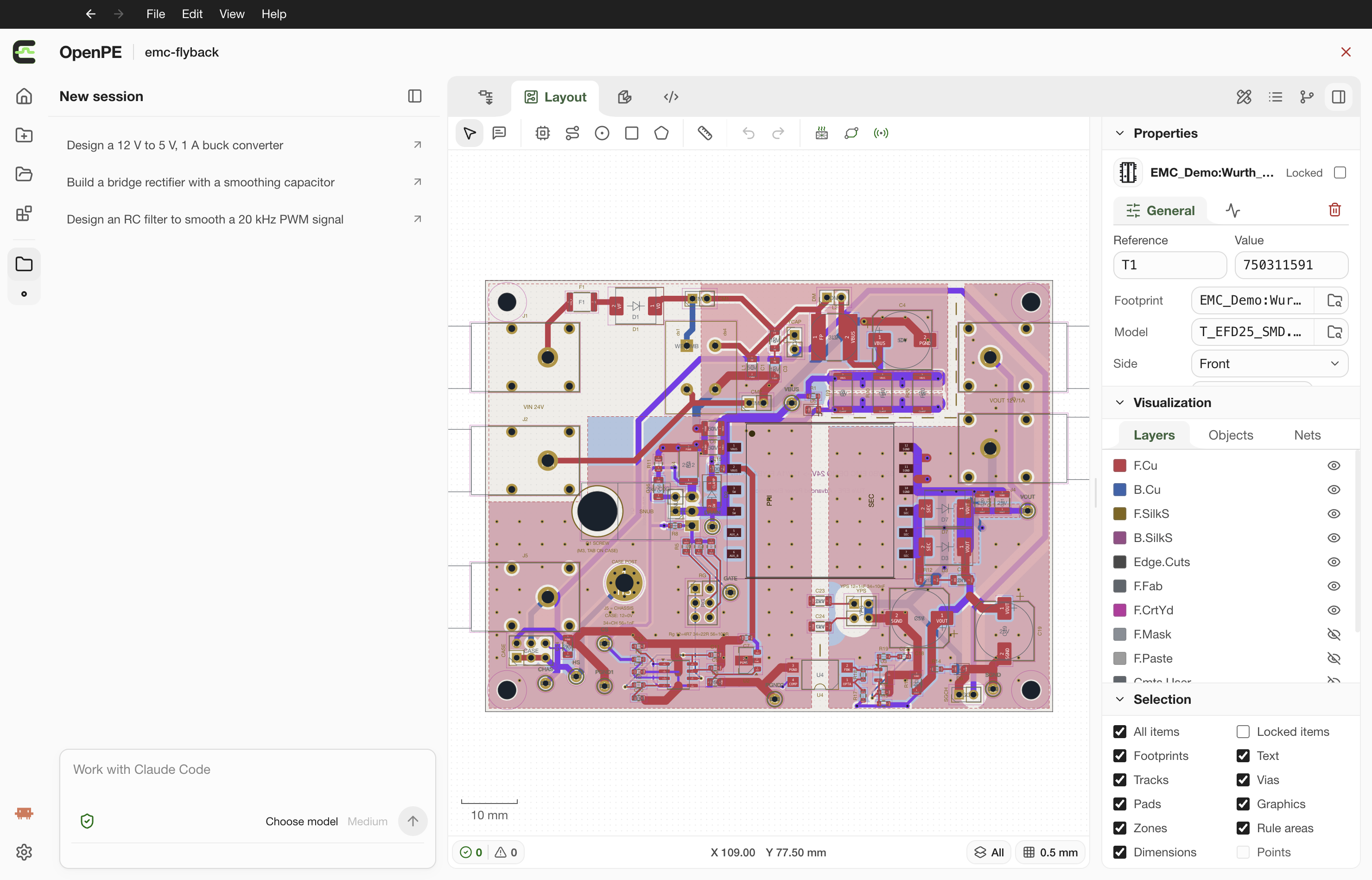
Session manager
Organize chats with your agent.
Agent interface
Chat and send design requests.
Design workspace
Switch between Schematic, Layout, 3D Model and Source.
Properties
Inspect and edit the selected object.
02Workflow
Edit directly or guide your agent. Every view works on the same project.
2.1Schematic
Your agent builds the feedback loop, runs a 10 ms ngspice transient and tunes R15 until the output sits inside ±1%.
2.2Layout
Preview positions and angles for a group of parts, then place the whole group with Tab.
2.3Module
Model an enclosure from dimensions, then refine it in conversation: posts, walls and a clear 3 mm acrylic lid.
03Agents
Connect the agent you already use. It works on the project you have open, with the access its mode allows.
Run the same design, simulation and project commands as the interface.
Suggest changes with restricted context. You review and apply them.
3.1Agent parity
Anything you can do in the studio, your agent can do too. It works through scoped tools, without a shell.
Canvas · keyboard · Properties
Codex · Claude Code · Cursor
GUI
Context management
Uniform API
Core
One validated transaction per edit
Plugins
SPICE · Thermal · Parasitics · EMC
3.2Mark and refine
Mark a region on the schematic or PCB, leave a comment, and send it with your next message. Your agent refines exactly that part.
Select parts or draw a region on the canvas.
Describe the change right where it belongs.
Your agent rotates, reroutes and compares.
47%
shorter secondary copper
39.9 → 21.2 mm
Marks are screenshots attached to your message. They never edit the design on their own.
04Plugins
Five engineering plugins ship built in. You can write your own in JavaScript, and they run in a sandbox with no native or network access.
Built in · 5
Gmsh and Elmer map PCB temperatures and locate the hottest point.
ngspice 47 transient analysis, straight from your schematic.
Review layout geometry for EMC risks. A design review, not a compliance test.
Follow a pad-to-pad path and read its DC resistance and partial inductance.
Bundled power-electronics layout guidance for your agent.
Package JavaScript as a local plugin. It installs with your approval and runs in a QuickJS sandbox with declared inputs and project reads.
05Privacy
OpenPE has no servers and no accounts. Projects stay on your disk as native KiCad files, and prompts go only to the AI provider you choose.
Library, price and datasheet lookups contact those vendors directly.
Your computer
 OpenPE studio
Project files
Agent CLI or SDK
OpenPE cloud
Doesn't exist
Your chosen AI provider
Prompts and the context you send
06Specs
OpenPE · Electrical Engineering Studio
v0.1
07Team
To be announced